Video editing for social media plays a pivotal role in captivating audiences and boosting engagement across various platforms. With the rapid rise of visual content consumption, mastering the art of video editing has become essential for anyone looking to make an impact online.
From eye-catching transitions to optimized formats for Instagram, Facebook, and TikTok, understanding the tools and techniques behind effective video editing can elevate your content and resonate with viewers. This guide will explore essential practices that ensure your videos stand out in a crowded digital landscape.
Understanding Video Editing for Social Media
Video editing plays a crucial role in enhancing engagement on social media platforms. With the increasing volume of content shared every day, well-edited videos can capture attention and convey messages more effectively than unedited footage. This results in higher viewer retention rates and greater interaction from audiences, which is essential for building a following and promoting brand identity.Effective video editing techniques are widely utilized by popular social media influencers to resonate with their audiences and enhance storytelling.
For instance, influencers often employ fast-paced cuts, vibrant color grading, and engaging transitions to maintain viewer interest. Techniques like jump cuts are popular for creating a sense of urgency and excitement, while slow-motion effects are used to emphasize key moments or emotions. Additionally, sound design, including background music and sound effects, complements visuals and heightens the overall impact of the content.
Video Formats and Specifications for Major Platforms
Understanding the various video formats and specifications required by major social media platforms is essential for ensuring optimal presentation and viewer experience. Each platform has its unique guidelines, and adhering to these can significantly enhance the visibility and engagement of the content. Below are the specifications for three of the most popular platforms:
- Instagram:
- Feed Videos: Up to 60 seconds, aspect ratio of 1:1 (square) or 4:5 (vertical).
- Instagram Stories: Up to 15 seconds per story, vertical format (9:16).
- IGTV: Videos must be between 1 minute to 60 minutes long, with a minimum aspect ratio of 16:9.
- Facebook:
- Feed Videos: Up to 240 minutes in length, recommended aspect ratio of 16:9.
- Stories: Vertical format (9:16), up to 20 seconds per story.
- Live Videos: No time limit, ideal for real-time engagement with audiences.
- TikTok:
- Standard Videos: Up to 3 minutes, vertical format (9:16) is preferred.
- Live Streams: Can last up to 60 minutes, engaging audiences in real-time.
- Videos for Ads: Length can vary, but it’s essential to capture attention in the first few seconds.
Adhering to these specifications not only ensures that the content is displayed correctly but also aligns with the platform’s algorithm, increasing the chances of reaching a wider audience.
Tools and Software for Video Editing
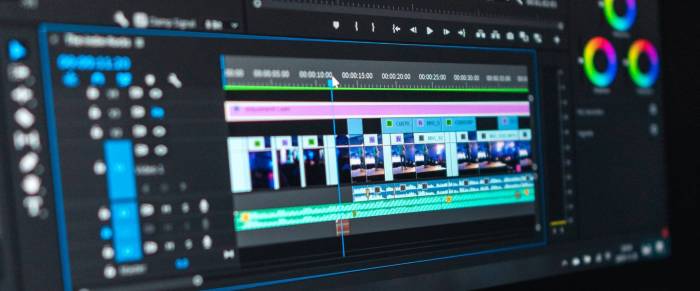
Video editing has become an essential skill in today’s digital landscape, especially for social media marketing. With a plethora of tools available, choosing the right software can significantly influence the quality of your content. This section Artikels some of the best video editing software options for both beginners and professionals, along with step-by-step procedures to enhance your editing skills.
Top Video Editing Software Options
Selecting the right video editing tool is crucial for creating engaging content. Below are some of the most popular software options catering to various skill levels and requirements in video editing:
- Adobe Premiere Pro
-A professional-grade software that offers advanced features and flexibility. Ideal for filmmakers and marketers looking for high-quality edits. - Final Cut Pro
-A favorite among Mac users, this software provides powerful editing tools and a user-friendly interface, perfect for creating stunning videos. - DaVinci Resolve
-Known for its impressive color correction capabilities, this software is suitable for both beginners and professionals. It combines editing, color correction, visual effects, and audio post-production. - iMovie
-Great for beginners, this Apple software provides a simple way to create videos with drag-and-drop functionality and basic editing tools. - Filmora
-A user-friendly option that comes with a range of effects and templates, making it easy for novices to produce impressive videos quickly.
Step-by-Step Procedures for Using Editing Tools
Utilizing specific editing tools effectively can enhance your video’s appeal. Here’s a step-by-step guide on how to use Adobe Premiere Pro to create engaging content:
- Import Media: Start by importing your video clips and audio files into the Project panel by dragging them directly into the software or using the Import option.
- Create a Sequence: Drag and drop your video clips onto the timeline to create a sequence. This allows you to start assembling your video.
- Trim Clips: Use the Razor tool to cut clips and the Selection tool to move and arrange them as needed.
- Add Transitions: Go to the Effects panel, find the desired transition, and drag it between clips on the timeline to create smooth transitions.
- Insert Text: To add text, go to the Essential Graphics panel, choose a text style, and customize it to fit your content.
- Color Correction: Use the Color panel to adjust brightness, contrast, and saturation, ensuring a polished final look.
- Export the Video: Once you’re satisfied with your edits, go to File > Export > Media to save your video in the desired format.
Comparison of Video Editing Apps for Social Media Marketing
When it comes to social media marketing, certain features in video editing apps can significantly enhance engagement. Below is a comparison of popular editing apps focusing on their key features:
| Software | Key Features | Best For |
|---|---|---|
| Adobe Premiere Rush | Multi-device syncing, easy sharing, motion graphics templates | Social media influencers |
| InShot | Aspect ratio adjustments, background music, filters, and stickers | Mobile video editors |
| Canva Video Editor | Template library, drag-and-drop editing, animated graphics | Beginner marketers |
| Splice | Fast editing, music library, speed adjustments | Quick video creation |
| Kapwing | Online collaboration, meme generator, subtitle tool | Teams and content creators |
“The right tools can make all the difference in producing captivating videos that resonate with your audience.”
Strategies for Creating Compelling Video Content
Creating compelling video content for social media is essential for engaging your audience and driving interaction. By understanding effective strategies in scripting, storyboarding, and utilizing analytics, you can elevate your video content to capture and retain viewers’ attention. This section Artikels best practices for crafting your videos along with key elements that contribute to their virality.
Best Practices for Scripting and Storyboarding Social Media Videos
Developing a well-structured script and storyboard is crucial for the success of your video. A good script ensures clarity and purpose, while a storyboard helps visualize the flow of content. The following best practices can guide you in this process:
- Define the Purpose: Clearly Artikel what you want to achieve with your video, whether it’s to entertain, inform, or persuade.
- Know Your Audience: Tailor your language and visuals to resonate with your target demographic.
- Keep it Short and Engaging: Attention spans on social media are short; aim for concise messaging that captures interest immediately.
- Utilize a Hook: Start with an attention-grabbing statement or visual that draws viewers in within the first few seconds.
- Visualize the Content: Create a storyboard that maps out key scenes, transitions, and key points to maintain a logical flow.
- Include Calls to Action: Encourage viewers to take specific actions, such as liking, sharing, or commenting on your video.
Key Elements Contributing to the Virality of Social Media Video Content
Several elements play a pivotal role in making video content go viral. Understanding these factors can enhance your video strategy and increase shares and engagement. Key elements include:
- Emotionally Resonant Content: Videos that evoke strong emotions (laughter, joy, sadness) are more likely to be shared.
- Relatable Themes: Content that reflects common experiences or societal trends often resonates better with viewers.
- High-Quality Production: Clear visuals and sound quality improve viewer experience and credibility.
- Timeliness: Videos that align with current events or trends tend to attract more attention.
- Engaging Thumbnails and Titles: Eye-catching thumbnails and intriguing titles entice viewers to click and watch.
Using Analytics to Refine Video Editing Strategies
Analytics are invaluable for understanding how your video content performs and can inform future editing strategies. By analyzing viewer behavior and performance metrics, you can make informed decisions about content creation. Important metrics to consider include:
- View Duration: Analyzing how long viewers stay engaged can highlight the effectiveness of your opening and overall pacing.
- Engagement Rates: Likes, shares, and comments provide insight into what resonates with your audience.
- Drop-Off Points: Identifying where viewers stop watching can help you refine your content flow and pacing.
- Demographic Insights: Understanding the characteristics of your viewers can guide tailored content that meets their preferences.
- Platform Performance: Different platforms have unique dynamics; knowing where your content thrives allows for better-targeted strategies.
Epilogue
In conclusion, utilizing the right video editing strategies can significantly enhance your social media presence and effectiveness. By applying the techniques discussed, such as optimal formatting and compelling storytelling, you can create videos that not only engage but also inspire your audience to act. Embrace these practices to elevate your social media game and foster a stronger connection with your viewers.
General Inquiries
What are the best video formats for social media?
The best video formats generally include MP4 for most platforms, while Instagram Stories often favor vertical videos with a 9:16 aspect ratio.
How long should my social media videos be?
Typically, social media videos should be concise, ideally between 15 to 60 seconds, to retain viewer attention.
What software is recommended for beginners in video editing?
Beginners can start with user-friendly software like iMovie, Filmora, or Adobe Premiere Rush, which offer intuitive interfaces.
How can I make my videos go viral?
Focus on creating relatable content, utilizing trending music, and engaging storytelling to increase the likelihood of virality.
Is it important to use analytics for video performance?
Yes, using analytics helps understand viewer preferences and behaviors, allowing you to refine your content strategy for better engagement.