Responsive graphic design is the backbone of modern web aesthetics, ensuring that digital content seamlessly adapts to a variety of devices. With an emphasis on user experience, this approach prioritizes fluid grids and flexible images, enabling designers to craft visually appealing layouts that cater to a diverse audience. Whether accessed via a smartphone or a desktop, the principles of responsive design remain key to enhancing interaction and engagement.
In this discussion, we’ll explore the fundamental principles that guide responsive graphic design, delve into essential tools and technologies, and examine its application across different fields such as e-commerce and web development. By understanding these elements, you’ll gain insights into creating effective designs that not only look great but also function flawlessly across platforms.
Responsive Graphic Design Principles
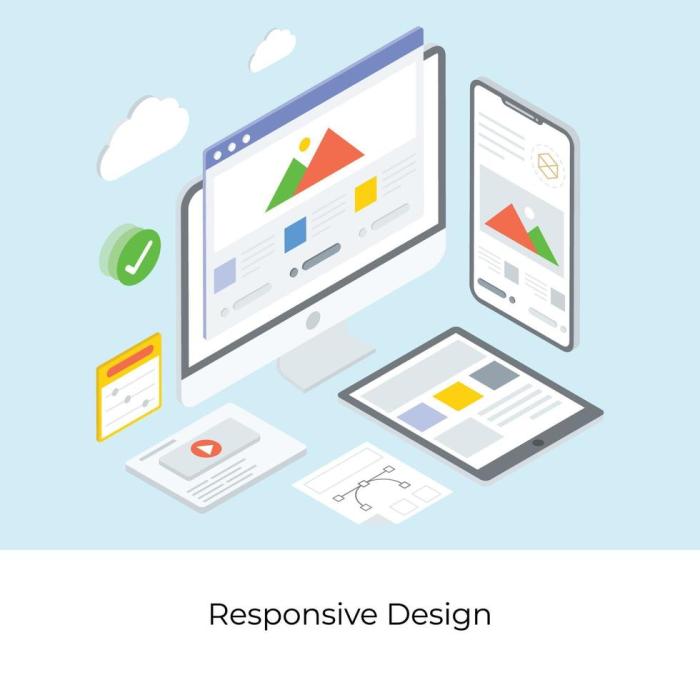
Responsive graphic design is a crucial aspect of modern web development, aimed at ensuring that visuals are adaptable across various devices and screen sizes. The emergence of smartphones and tablets has transformed the way users interact with digital content, making it essential for designers to prioritize flexibility and usability in their graphic design strategies. By applying responsive design principles, creators can enhance user experience and accessibility, catering to the diverse needs of their audience.Fluid grids and flexible images are foundational elements of responsive design that facilitate the seamless scaling of layouts.
A fluid grid system allows designers to create layouts that adjust proportionately based on the screen size, rather than relying on fixed dimensions. This ensures that content is appropriately displayed across different devices, enhancing readability and visual appeal. Flexible images, on the other hand, scale within their containing elements and maintain their aspect ratios, preventing distortion and ensuring that they fit nicely within the layout.
This adaptability is essential for maintaining a coherent aesthetic across devices.
Fluid Grids and Flexible Images
Fluid grids and flexible images work together to create a responsive design that is visually coherent and user-friendly. The fluid grid approach utilizes relative units like percentages, rather than fixed pixel values, to establish layout dimensions. This adaptability means that as the screen size changes, elements within the grid will resize accordingly, maintaining proportional relationships and a balanced layout. To illustrate, consider a typical layout structured in a 12-column grid system.
Each column can be set to occupy a certain percentage of the total width. For instance, a sidebar may take up 25% while the main content area occupies 75%. As the screen width decreases, these percentages allow the columns to resize dynamically, ensuring that the layout remains functional and visually appealing across devices.Flexible images complement this approach by utilizing CSS properties such as `max-width: 100%;`.
This rule ensures that images do not exceed the width of their containing elements, meaning they will shrink and grow according to the layout while preserving their aspect ratios. The use of responsive images also minimizes loading times, as designers can serve appropriately sized images for different devices, reducing bandwidth usage and improving load speeds.
Media Queries in Responsive Layouts
Media queries are a pivotal component in creating responsive layouts, enabling designers to apply different styles based on device characteristics, such as screen width, height, orientation, and resolution. They allow for the customization of styles to ensure that the design remains functional and aesthetically pleasing regardless of the device used to access it.The syntax of a media query begins with the `@media` rule, followed by specific conditions that must be met for the styles to apply.
For example:
@media (max-width: 768px) /* CSS rules for devices with a width of 768 pixels or less – /
This approach grants designers the flexibility to tailor styles specifically for mobile devices, tablets, or desktops, enhancing user experience on each platform. Media queries can, for instance, adjust typography, alter navigation styles, and hide or show elements based on the screen size. By leveraging these queries, designers can address the unique challenges posed by diverse devices, such as ensuring that text remains legible, images maintain their quality, and navigation remains intuitive.
In summary, responsive graphic design principles hinge on the effective use of fluid grids and flexible images, alongside media queries, to create adaptable and engaging layouts that cater to varying user needs across a vast array of devices.
Tools and Technologies for Responsive Design
Responsive graphic design is essential in today’s digital landscape where users access websites and applications across various devices. To create designs that adapt seamlessly to different screen sizes, specific tools and technologies can streamline the process, making it more efficient and effective. This section delves into the best software tools for developing responsive designs, methods for utilizing CSS frameworks like Bootstrap, and a guide on testing these designs across multiple devices and browsers.
Software Tools for Developing Responsive Graphic Designs
Utilizing the right software tools can significantly enhance the quality and efficiency of responsive graphic design. Various applications offer unique features that cater to different aspects of the design process. Here are some of the most noteworthy tools:
- Adobe XD: A powerful design tool that allows for wireframing, prototyping, and collaboration. It supports responsive design features that permit designers to create adaptive layouts easily.
- Sketch: Focused on UI/UX design, Sketch is widely used for crafting responsive layouts and offers a range of plugins that enhance its functionality.
- Figma: A cloud-based tool enabling real-time collaboration, Figma allows designers to create responsive designs that can be easily shared and tested with team members.
- InVision: Primarily a prototyping tool, InVision enables designers to create interactive mockups that showcase responsive behaviors across different devices.
Utilizing CSS Frameworks for Responsive Layouts
CSS frameworks are invaluable for responsive design, as they provide pre-defined styles and components that adapt to various screen sizes. Bootstrap is one of the most popular frameworks, known for its grid system and flexible layout components. Here’s how to effectively utilize Bootstrap for responsive designs:
1. Grid System
Bootstrap’s 12-column grid system allows you to create complex layouts that adjust based on the device screen size. By using classes like .col-xs-, .col-sm-, .col-md-, and .col-lg-, designers can specify how many columns an element should span at different breakpoints.
2. Responsive Utilities
Bootstrap includes utility classes that make it easy to show or hide elements based on screen size. This feature allows for a cleaner design by ensuring only relevant information is displayed.
3. Media Queries
Leverage Bootstrap’s built-in media queries to define custom styles for specific devices. This allows for fine-tuning of designs across various resolutions.
4. Components and JavaScript Plugins
Bootstrap offers a range of responsive components such as carousels, modals, and alerts that can enhance user experience while maintaining a responsive layout.
Testing Responsive Designs Across Different Devices and Browsers
Testing is a critical phase in the design process to ensure a seamless user experience across various devices and browsers. A thorough testing approach involves multiple methodologies:
1. Browser Developer Tools
Use the responsive design mode in browsers like Chrome and Firefox to simulate different devices. This feature allows designers to view how their design responds to various screen sizes and orientations.
2. Online Tools
Platforms like BrowserStack and Responsinator provide a way to test designs across real devices and browsers, ensuring that all users have a consistent experience regardless of their technology.
3. Manual Testing
Having access to a variety of physical devices can provide insight into how designs function in real-world conditions. Always check the most common devices used by your target audience.
4. User Testing
Gathering feedback from actual users interacting with the design on their devices can reveal unexpected issues. This step is crucial to making user-centered design adjustments.
5. Performance Testing
Analyze loading times and responsiveness to ensure that designs are not only visually appealing but also perform well on all devices.
“In responsive design, testing is as important as the initial creation of the layout.”
Responsive Design in Various Fields
Responsive design has become a crucial element in today’s digital landscape, impacting various fields significantly. Its ability to adapt seamlessly across different devices ensures that users have a positive experience regardless of the platform they choose. From web hosting to e-commerce, the principles of responsive design are applied to enhance usability and functionality.
Application of Responsive Design in Web Hosting and Domain Names
Responsive design is vital in the context of web hosting and domain names, as it directly affects how users interact with hosting services and manage their domains. As the number of devices accessing the internet continues to grow, hosting providers must ensure their websites and management interfaces are fully responsive. This adaptability leads to increased customer satisfaction and retention. For example, a hosting provider’s website should dynamically adjust to different screen sizes, allowing users to easily navigate through plans, features, and support options.
When domain management interfaces are responsive, users can effortlessly register, transfer, or renew domains from any device, simplifying the process.
“Responsive design is not just about aesthetics; it’s about providing a seamless user experience across all devices.”
Impact of Responsive Design on User Experience in Web Design and Development
User experience (UX) in web design and development is profoundly influenced by responsive design principles. A consistent and user-friendly experience across various devices leads to higher engagement and lower bounce rates. When websites adapt to the user’s device, it enhances accessibility and usability, allowing users to interact with content without hindrance.Elements such as navigation menus, images, and text must resize and reposition effectively to maintain usability.
For instance, a well-implemented responsive design can ensure that images load at high quality on larger screens while optimizing loading times on mobile devices by using appropriate resolutions. This balance fosters an enjoyable user experience, encouraging visitors to stay longer and explore more.
Significance of Responsive Design in E-commerce and Making Money Online
In the e-commerce sector, responsive design is essential for maximizing conversion rates and enhancing overall profitability. As more consumers shop online using mobile devices, an ecommerce site that fails to provide a responsive experience risks losing significant revenue. A responsive e-commerce platform allows potential customers to browse products, add items to their cart, and complete purchases seamlessly, regardless of whether they’re using a smartphone, tablet, or desktop.
Research indicates that nearly 80% of users will abandon a website that takes too long to load on their mobile devices, highlighting the need for effective responsive design.Moreover, features such as mobile-friendly payment gateways and easy-to-navigate product categories can significantly improve customer satisfaction, leading to higher retention rates and repeat purchases. Online brands like Amazon and eBay exemplify how responsive design can create a smooth shopping experience, ultimately boosting sales and brand loyalty.
“Responsive design is a critical investment for online businesses, as it directly correlates with customer satisfaction and sales performance.”
Last Point
In conclusion, embracing responsive graphic design principles is essential for any designer looking to make a mark in the digital landscape. By utilizing the right tools and understanding the unique requirements of various industries, you can create designs that elevate user experience and drive engagement. As technology continues to evolve, staying informed about responsive design practices will ensure your work remains relevant and impactful.
Q&A
What is responsive graphic design?
Responsive graphic design is an approach that ensures web content adjusts elegantly across various screen sizes and devices.
Why is responsive design important?
It enhances user experience by providing a consistent look and functionality, regardless of the device being used.
What tools can I use for responsive graphic design?
Popular tools include Adobe XD, Sketch, and CSS frameworks like Bootstrap and Foundation.
How do media queries work in responsive design?
Media queries help apply different styles based on the device’s characteristics, such as width or orientation, allowing for tailored layouts.
Can responsive design improve ?
Yes, responsive design can improve as it creates a single, optimized URL for content that can boost search engine rankings.